
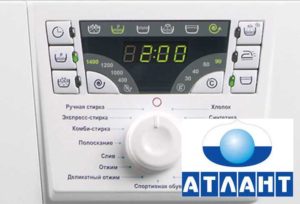
 Atlas – a domestic washing machine with a self-diagnostic module. There are two types of this brand's models: with a display and with indicator lights. Error codes for Atlant washing machines with a display are alphanumeric. For machines without a display, errors are displayed on the indicator light. The error codes can be deciphered by the user, helping to identify and fix the problem.
Let's look at the error codes for both generations of Atlant washing machines.
General information
Indicator values for SoftControl and OptimaControl models
| No., p/p | Meaning | SoftControl | OptimaControl |
| 1 | 1 | Spin | Water stop |
| 2 | 2 | Water stop | Rinsing |
| 3 | 4 | Rinsing | Washing |
| 4 | 8 | Washing | Pre-wash |
Important! First indicator is located on the right
Atlant Washing Machine Errors: A Complete Review
Below are the errors for all Atlant washing machines. Indicator values for machines without a display are given in parentheses. What do these errors mean and how can they be corrected? Let's look at them below.
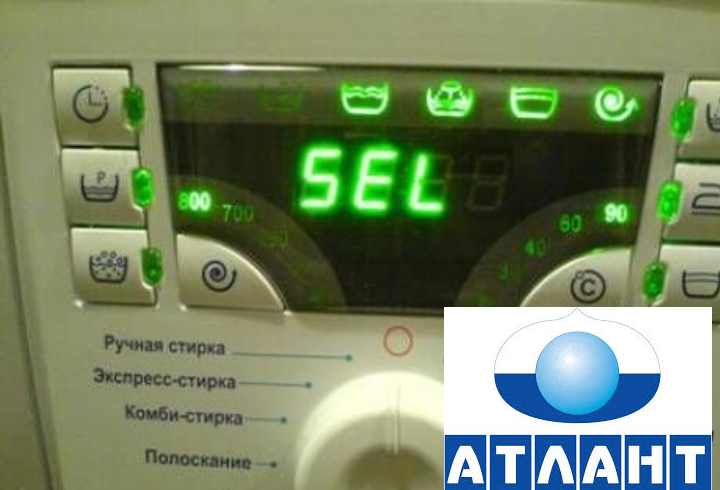
Sel (All indicators Not are burning)
The program selector is faulty, meaning it simply doesn't work. The potentiometer that selects programs may be broken. The cause could be either mechanical or electronic.
Fixing the problem:
The buttons need to be cleaned. They might have become dirty from frequent use and started sticking. Check to see if the buttons have become loose. Some may have become loose and stopped responding. Any that are faulty will need to be replaced. The selector may be broken. Check its functionality. Repair or replacement may be necessary. If the selector is working properly, the problem lies with the controllers connected to it. Check them and replace any that are faulty.
None (glow All indicators)
The cause is excessive foam in the drum. This can occur if you're using the wrong detergent (hand washing powder is not recommended for this machine) or if you've added too much. Another possible cause is poor drainage or a faulty water level sensor. You may also have set the wrong wash cycle.
Fixing the problem:
Unplug the washing machine, remove the items and dispose of them. foamAdjust the washing cycle. Next time, use a different detergent or reduce the amount. If the error persists after these steps, there's a problem with the water or foam level sensors. Check the circuit and the sensors. Replace them if necessary.
F2 (is on fire third indicator)
The error occurred due to a faulty temperature sensor. It could have broken, the contacts could have come loose, or there could be something wrong with the wiring. The control module could also have failed.
F2 Error Fix:
Check the contacts and all wires. Test the circuit. It may be necessary to repair the wiring or tighten the contacts.
Check the sensor. It may need to be replaced.
Check the control module. If it is faulty, replace it.
F3 (is on fire third And fourth indicators)
The Atlant washing machine's F3 error occurred due to poor water heating. Most likely, the error was caused by a problem with the heating element (heating element), contacts are broken, part of the wiring is damaged, or the control module is broken.
F3 Error Fix:
Check the voltage in the outlet. If the voltage is too low, this is the cause of the F3 error.
Check the wiring. If the fault between the heating element, controller, and temperature sensor can be corrected, do so.
Check the contacts. They must be securely fastened.
There may be no signal from the temperature sensor. Replace it.
Check the heating element. The problem lies with the relay or a thick layer of scale. The only solution is to replace the heating element.
F4 (glows second indicator)
Error F4 occurs when there's a problem draining water from the washing machine. This could indicate a broken drain pump, a clogged drain hose, an improperly installed hose, a foreign object in the pump, or a clogged or broken drain coupling.
F4 Error Fix:
- Check the drain hose for kinks and blockages.
- Make sure the hose is installed correctly.
- Inspect the pump. If there is debris, remove it. If it is broken, replace it.
- Inspect the drain coupling. It contains a ball that could be stuck. You'll need to drain the water manually and replace the coupling. If there's a blockage, clear it.
- Inspect the contacts and wiring. Troubleshoot.
- If the problem persists, the error is caused by the electronic module. It will need to be replaced.
F5 (glow second And fourth indicators)
The error occurred because the tank wasn't filled with enough water. This indicates a problem with the inlet valve, filters, inlet hose, or the plumbing system.
Solution to the problem:
Check that there is water in the pipes and that all taps are open. Check the inlet hose. Remove this hose from the washing machine. Clean it and turn on the water. Clean the filter near the inlet hose. Inspect the inlet valve. It may need to be replaced. Inspect the contacts and all wires of the control module and the inlet valve. If these steps do not correct the error, the control module will need to be replaced.
F6 (glow second And third indicators)
Most likely, the error occurred because there was a problem with the car's motor. The windings overheated, or the motor's thermal protection contacts became disconnected.
Solution to problem F6:
- Check all contacts and tighten them tightly.
- Replace the electric motor reverser relay.
- Replace the washing machine motor.
Remember! For execution latest two operations better contact To to specialists.
F7 (are burning second, third And fourth indicators)
There are obvious problems with the electrical system or the control unit.
Bug fix:
Measure the line voltage. If it's normal (200 to 240 V), the problem is in the control unit.
It is necessary to check the condition of the module and replace it if necessary.
F8 (is on fire first indicator)
The machine's tank was filled with too much water. Error F8 occurred due to problems with pressure switch, water inlet valve, cylinder tightness or control module.
Bug fix:
Check the pressure switch and electrical circuits. Ensure the cylinder is leak-proof. Test the control unit. In rare cases, error F8 occurs when the water pressure is too high and the inlet valve is open. Replace the valve.
F9 (are burning first And fourth indicators)
The problem is with the engine tachometer. It's possible that the tachometer generator or the engine itself is faulty.
Fixing the problem:
Check the contacts and wiring.
Check the engine tachometer and the engine itself. Replace the part if necessary.
F10 (are burning first And third indicators)
There's no information about the door lock. Either the door isn't properly closed, or the washing machine is making a mistake.
Fixing F10 Error:
Try closing the hatch more tightly and check if anything is interfering with it.
Check the electrical lock and power circuits.
Make sure the sensor is working properly.
Check the electrical control module. Replace it if necessary.
Door (are burning first, third And fourth indicators)
The locking mechanism is broken. If the hatch is closed tightly and the electrical circuits are intact, simply replace the lock.
F12 (are burning first And second indicators)
There's a problem with the motor drive. Check that the motor is running and that its wiring and power supply circuits are intact. The part may need to be replaced.
F13 (are burning first, second And fourth indicators)
This mode is called "other malfunctions." The system was unable to recognize the malfunction and displayed error code F13. Check the electrical circuits. They may be faulty.
Important! For definitions problems please contact To to specialists.
F14 (are burning first And second indicators)
There's a software glitch. This definitely requires a repair shop to determine the cause. In the worst case, the electrical module will need to be replaced.
F15 (V cars without display given error Not provided, But can burn All four indicator)
There's a leak. Check for it. If you find one, inspect the hatch seals, the integrity of the tank, and the drainage system. Fix the leak yourself or contact a professional.


Please answer the question: There is a letter P on the display – what does this mean, Atlant.